Action Batches
Action Batches allow to group multiple actions to execute them independently on specified resources without waiting for other resources to be proceeded. This feature is particularly useful for streamlining related tasks and optimizing resource utilization.
To use Action Batches, navigate to the plan creation wizard. More detailed instructions on creating and managing individual batches can be found on the Create Action Batch page and further details on individual batch configurations can be found on the Action Batch Details page.
Understanding Action Batch Execution Flow
Action Batches significantly improve efficiency when you need to perform a set of actions on multiple resources. Instead of running each action sequentially across all resources, a batch creates multiple parallel flows, one for each resource. Within each flow, the actions execute sequentially, but the flows themselves run concurrently.
Example
Given that you have plan with 4 actions: SCAN, PATCH, REBOOT, SCRIPT and 2 resource groups.
Resource Group A is added to all actions. Resource Group B only to SCAN and SCRIPT.
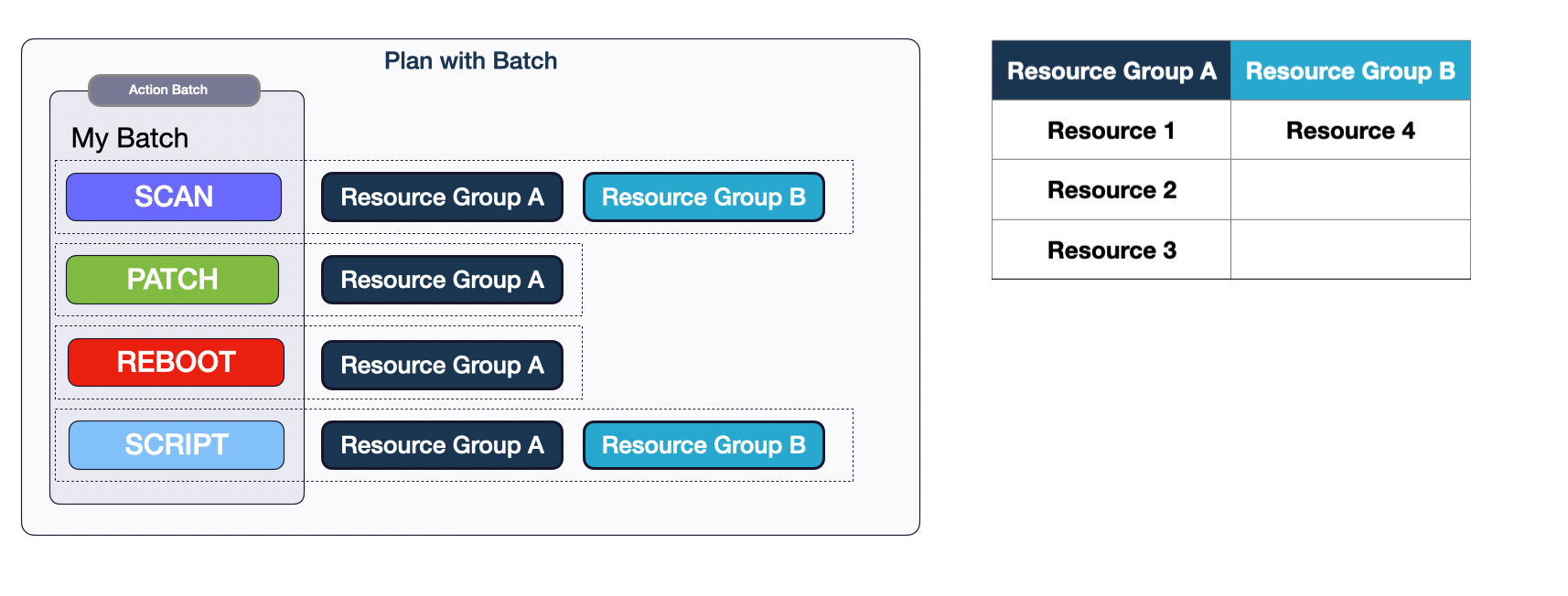
Action flows for resource groups will look as follows:

An Action Batch would create four parallel flows for each resource:
- Resource 1:
SCAN->PATCH->REBOOT->SCRIPT - Resource 2:
SCAN->PATCH->REBOOT->SCRIPT - Resource 3:
SCAN->PATCH->REBOOT->SCRIPT - Resource 4:
SCAN->SCRIPT
As you can see, some resources might only have a subset of the actions. All flows begin simultaneously, and the order of actions is respected within each flow.
The diagram below compares the execution time of individual actions to using an Action Batch, assuming all actions on resources take the same amount of time to complete:
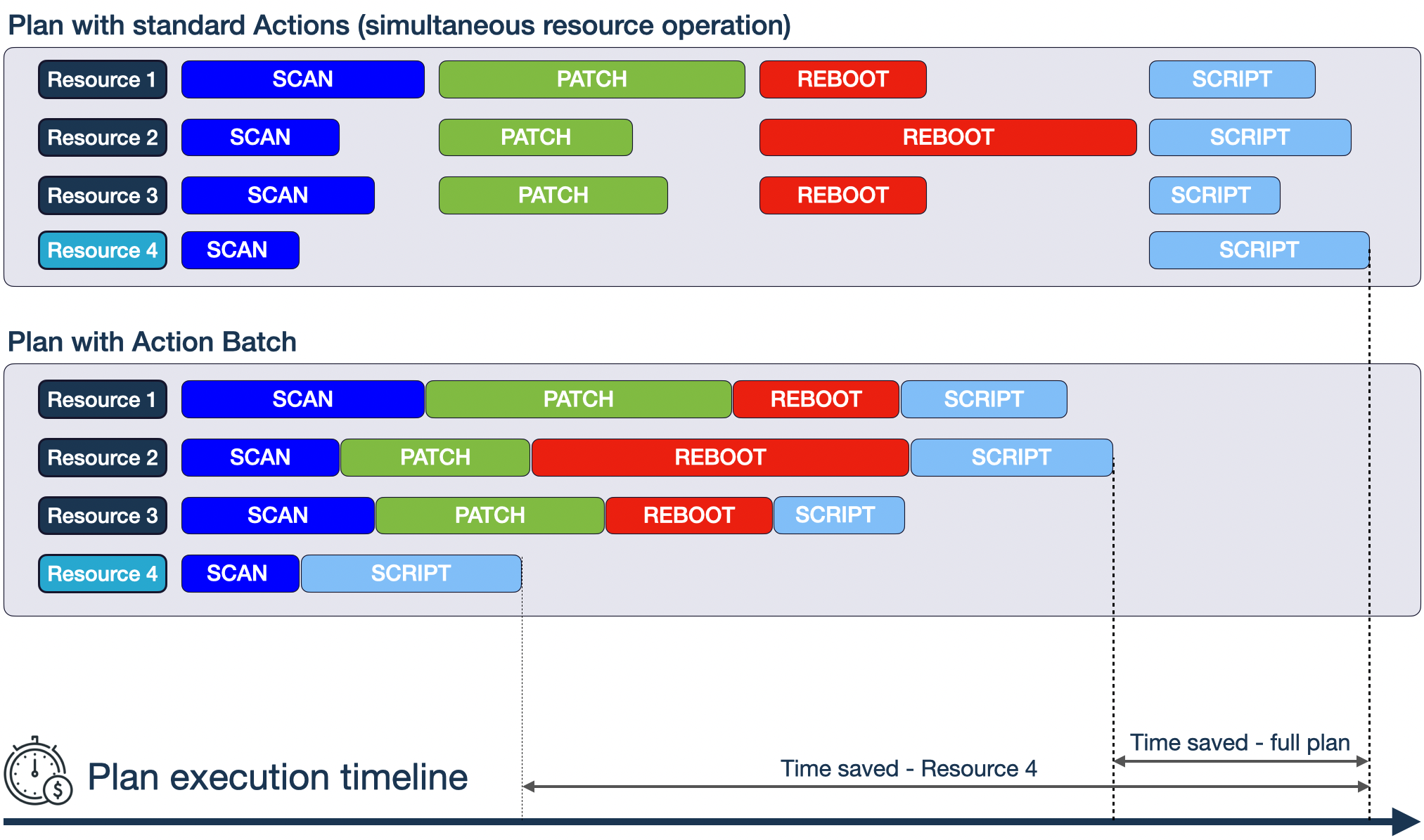
Standard Actions (Top): When actions are executed individually, each action completes on all resources before the next action begins. This sequential process can be time-consuming, especially with many resources or complex actions.
Action Batch (Bottom): Batching allows the same actions to run concurrently across all resources. This parallel execution reduces the overall time required. The batch finishes when the longest-running action completes on all resources assigned to it.
Time Saved: The difference in execution time between these two approaches is significant.
As indicated by the Time Saved - Full Plan arrow in the diagram,
the total execution time for the entire plan is reduced compared to standard actions.
The greatest benefit of using batch actions is observed for individual resources,
as illustrated by the Time Saved - Resource 4 arrow in the diagram where we opted not to execute PATCH or REBOOT actions.
Using Action Batches allows you to complete your automation tasks faster, freeing up resources and reducing overall processing time. Although individual resources that finish executing actions earlier cannot perform subsequent actions outside the batch, their logs are available earlier for analysis. As soon as the longest running action on any resource completes, other steps in the automation plan are begun.
Benefits of Using Action Batches
-
Increased Efficiency: Action Batches significantly reduce overall plan execution time by enabling concurrent execution of multiple actions. This is a substantial improvement over the previous sequential execution method, where a single action had to complete on all resources before the next action could begin.
-
Simplified Orchestration: Action Batches simplify plan management by logically grouping related actions into easily identifiable and manageable units. This makes complex automation plans more organized and easier to understand.
-
Potential for Improved Resource Utilization: The implementation of Action Batches leverages parallel processing of actions on different resources, which effectively results in a higher average utilization over a given time unit per resource.
-
Enhanced Automation: Action Batches unlock the ability to create more sophisticated automation workflows by facilitating complex sequencing and coordination of multiple actions within a single plan. This enables more intricate automation scenarios than previously possible.
Important Consideration:
Action Batches are not a universal solution for all automation scenarios. They are most effective when you need to apply a set of actions to multiple resources independently. However, if your actions have strong dependencies or require strict sequential execution on each resource, individual actions may be more suitable.
Batches allow resources to progress through all actions independently at their own pace. A batch as a whole is considered complete only when all actions finish on every resource or the batch window duration is exceeded. This approach optimizes overall completion time by avoiding enforced sequential execution of all actions on each resource.
Choose the approach that best fits your specific automation needs.
Example of batch execution
Let's create a plan with batch based on example from Understanding Action Batch Execution Flow section:
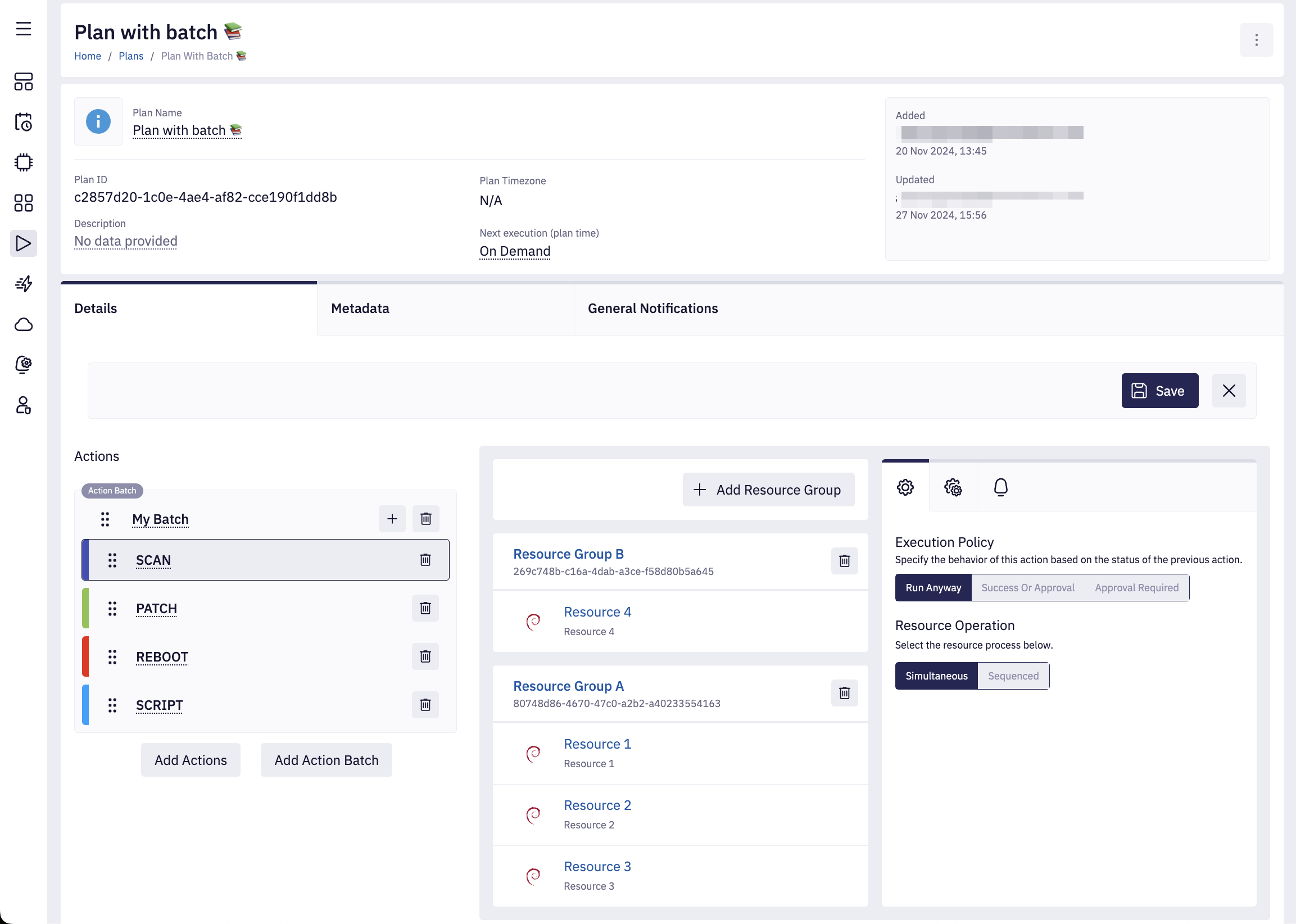
-
Plan is started
All resources from
Resource Group AandResource Group Bstart to execute first actionSCAN: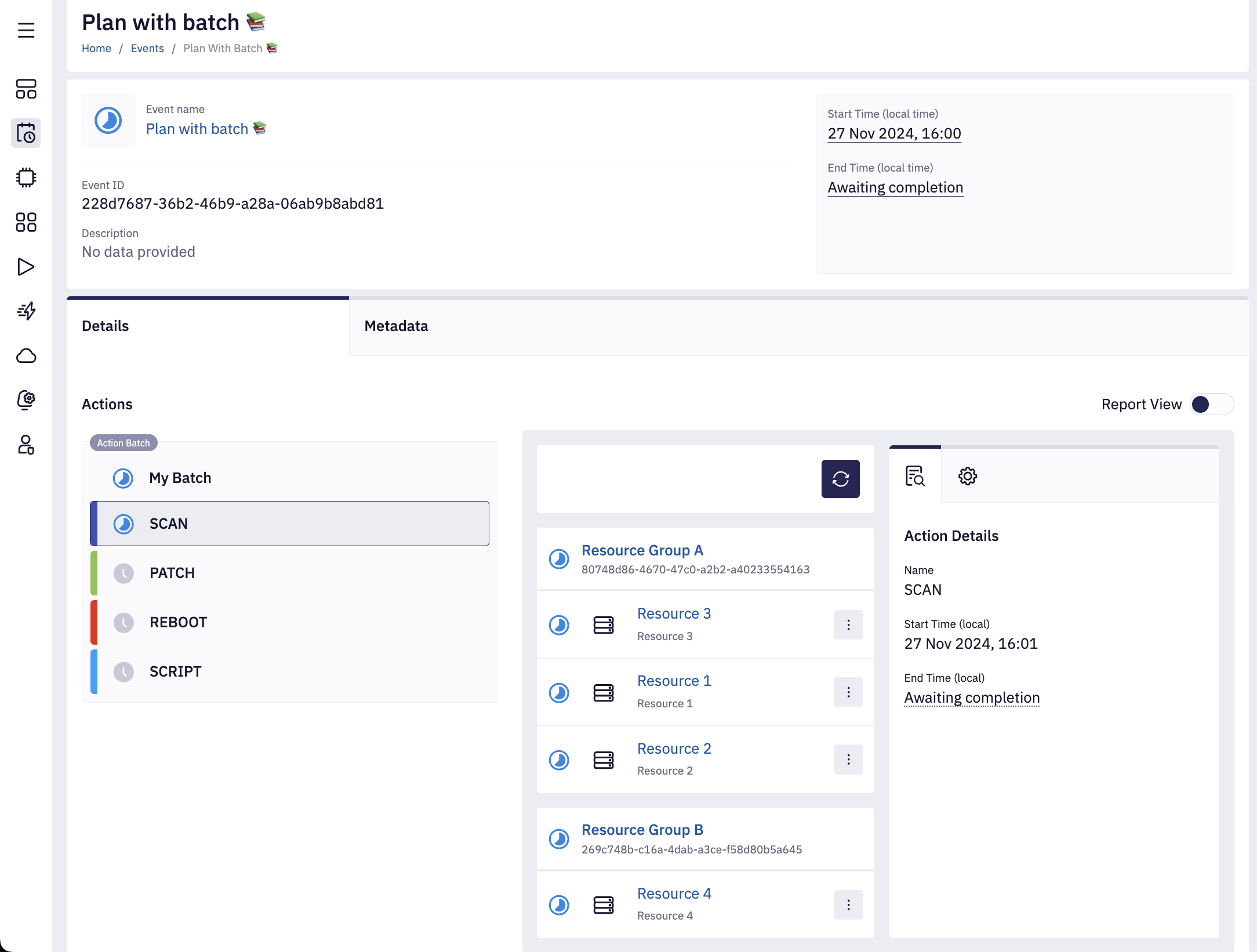
*SCAN is finished for all resources
All resources from Resource Group A and Resource Group B finished SCAN.
We can see that the next action PATCH is in progress for all resources from Resource Group A.
The next action REBOOT is still upcoming as it awaits for any resource from Resource Group A to begin it's execution.
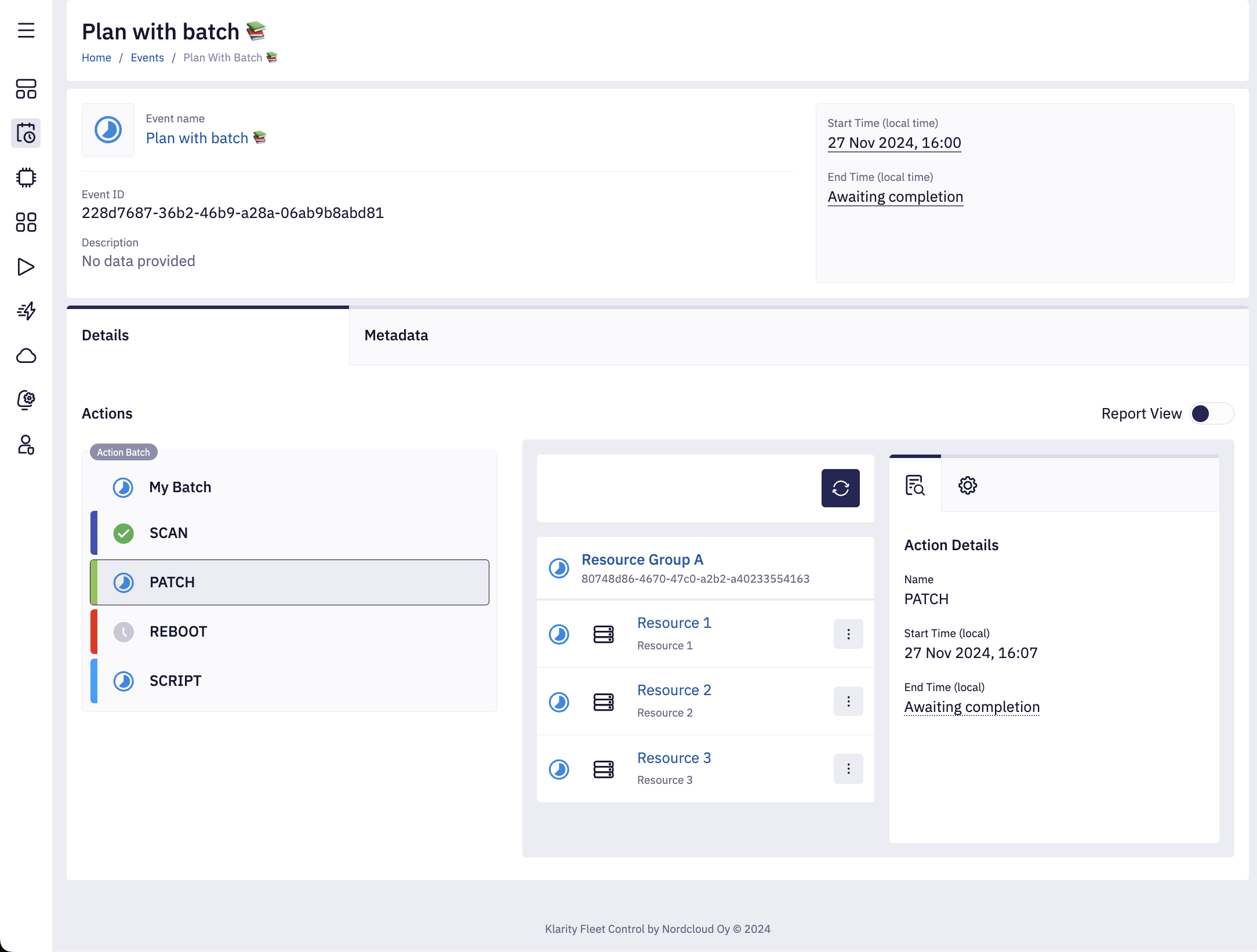
Resource 4starts to executeSCRIPTaction immediately afterSCAN. All remaining resources fromResource Group Aare still executingPATCH.
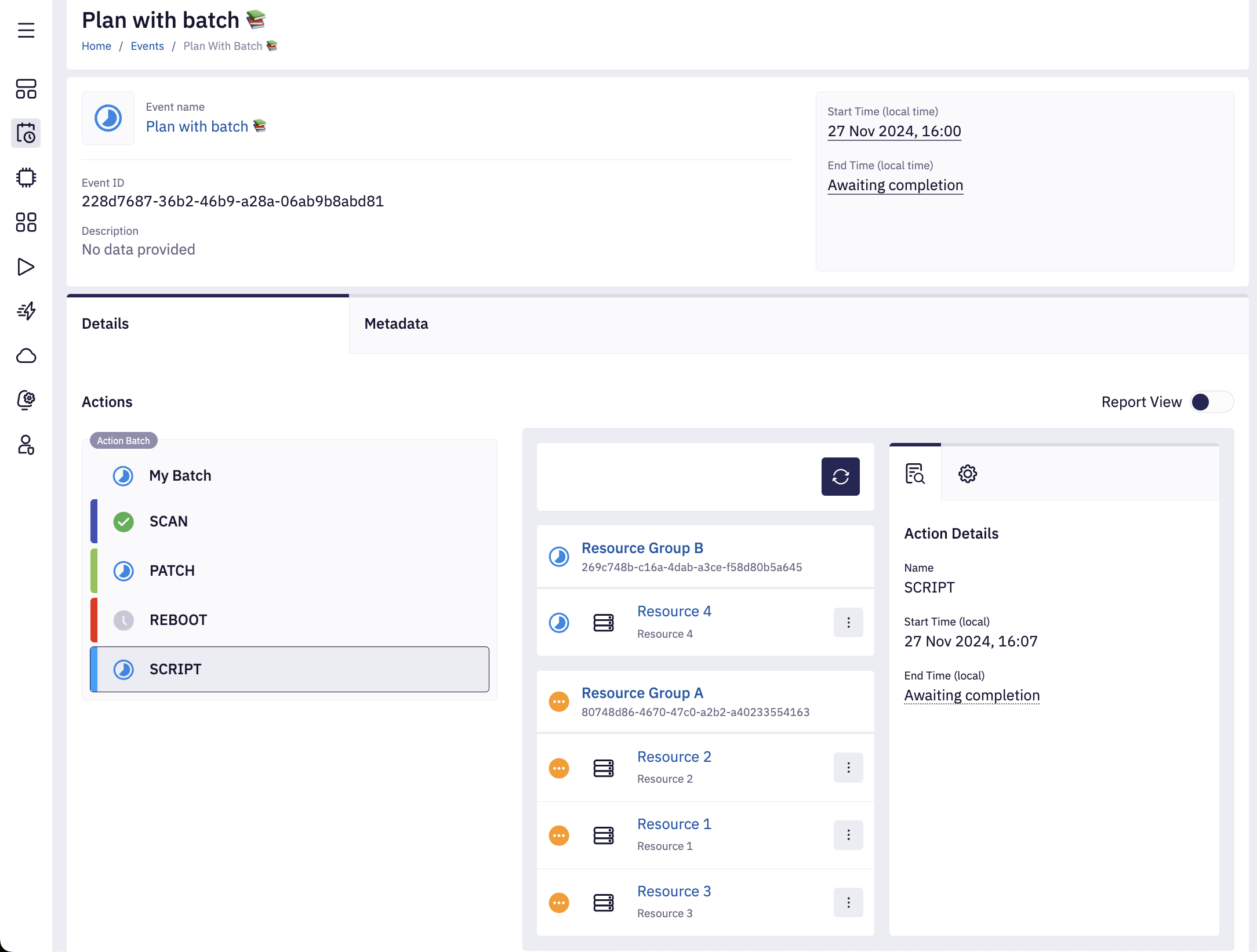
-
Resource 4finishedSCRIPTaction execution.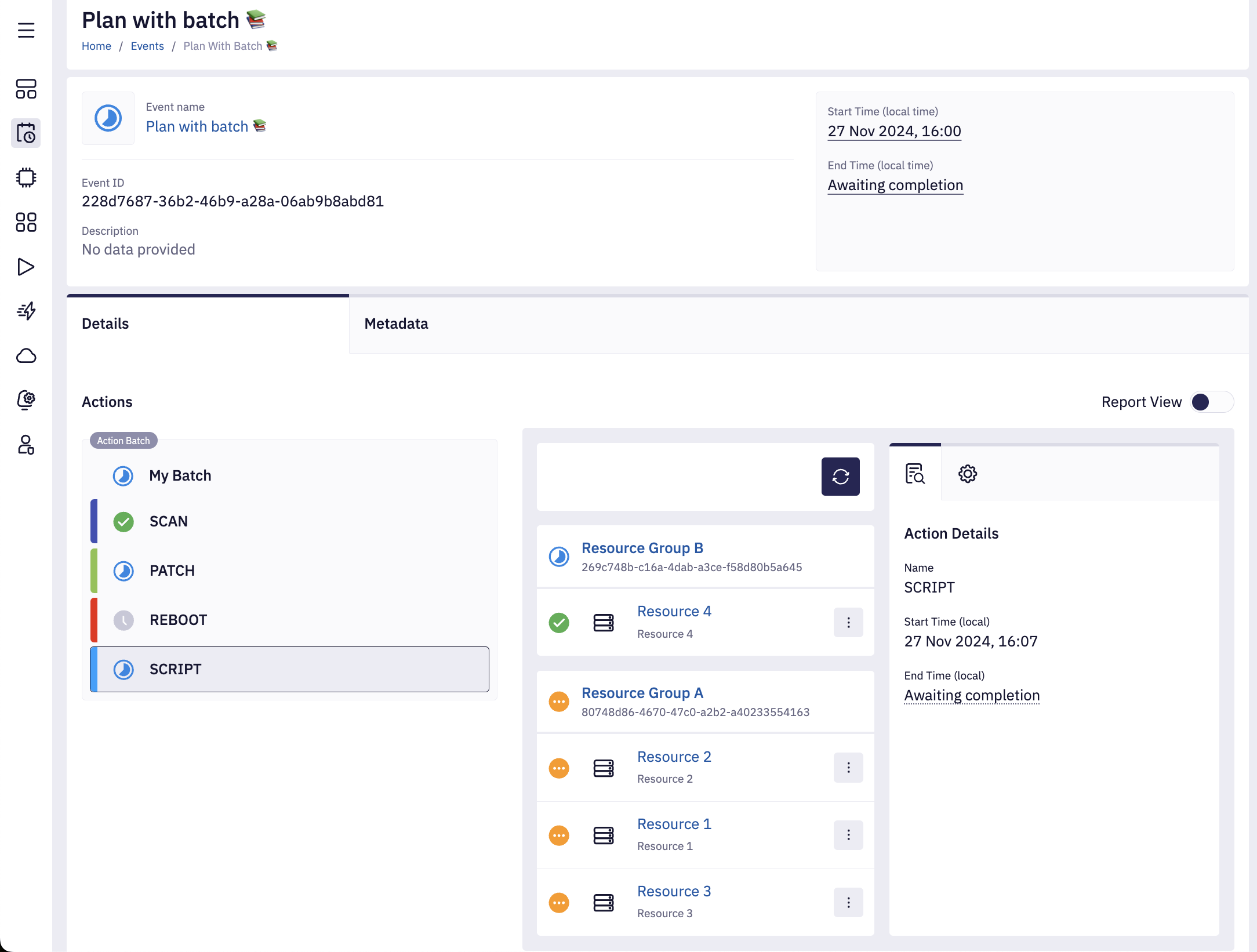
-
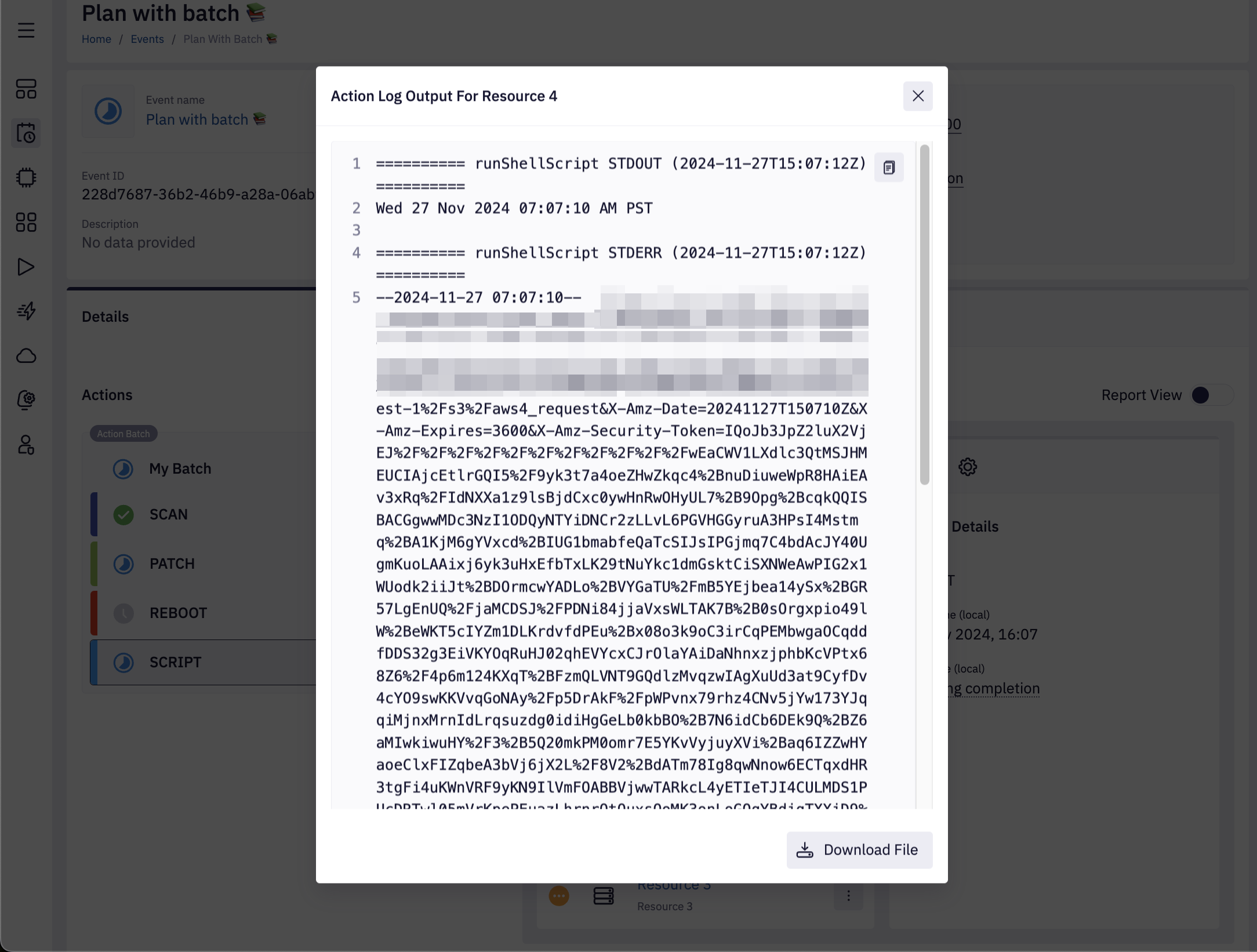
We can view the
Resource 4SCRIPTaction log earlier, even if the rest of the resources are still halfway through the plan.
Summary
We have shown that individual resources (e.g., Resource 4 in our example) can proceed to subsequent actions independently of others. This flexibility allows for quicker work on resources that fail or complete certain actions earlier than the rest, improving efficiency and enabling faster resolution of issues.