Approving event actions
Fleet Control lets you require manual approval for an action or an action batch before it runs. This page describes how to grant approval from the event list or event details.
Approval requirements - including the choice of approval mode - are configured on the plan action. See Approval Mode in the Plan Creation documentation for how to enable and configure them.
1. Approval modes at a glance
Each approval-requiring action or batch uses one of two modes, set at plan creation:
- Approve as Scheduled - must be approved before its Window Duration ends, or the action moves
to
Approval timed outand does not run. - Approve Whenever - stays paused indefinitely until approved. Never times out.
For a full description of each mode, when to choose which, and how the Window Duration is anchored, see Approval Mode in the Plan Creation documentation.
Action batches are approved as one unit. Approval mode and execution policy live on the batch,
not on individual member actions. Approving a batch approves every action inside it at the same
time, with a single Approved by / Approved at record. Members can still have their own
notification groups.
2. Approving from the event list
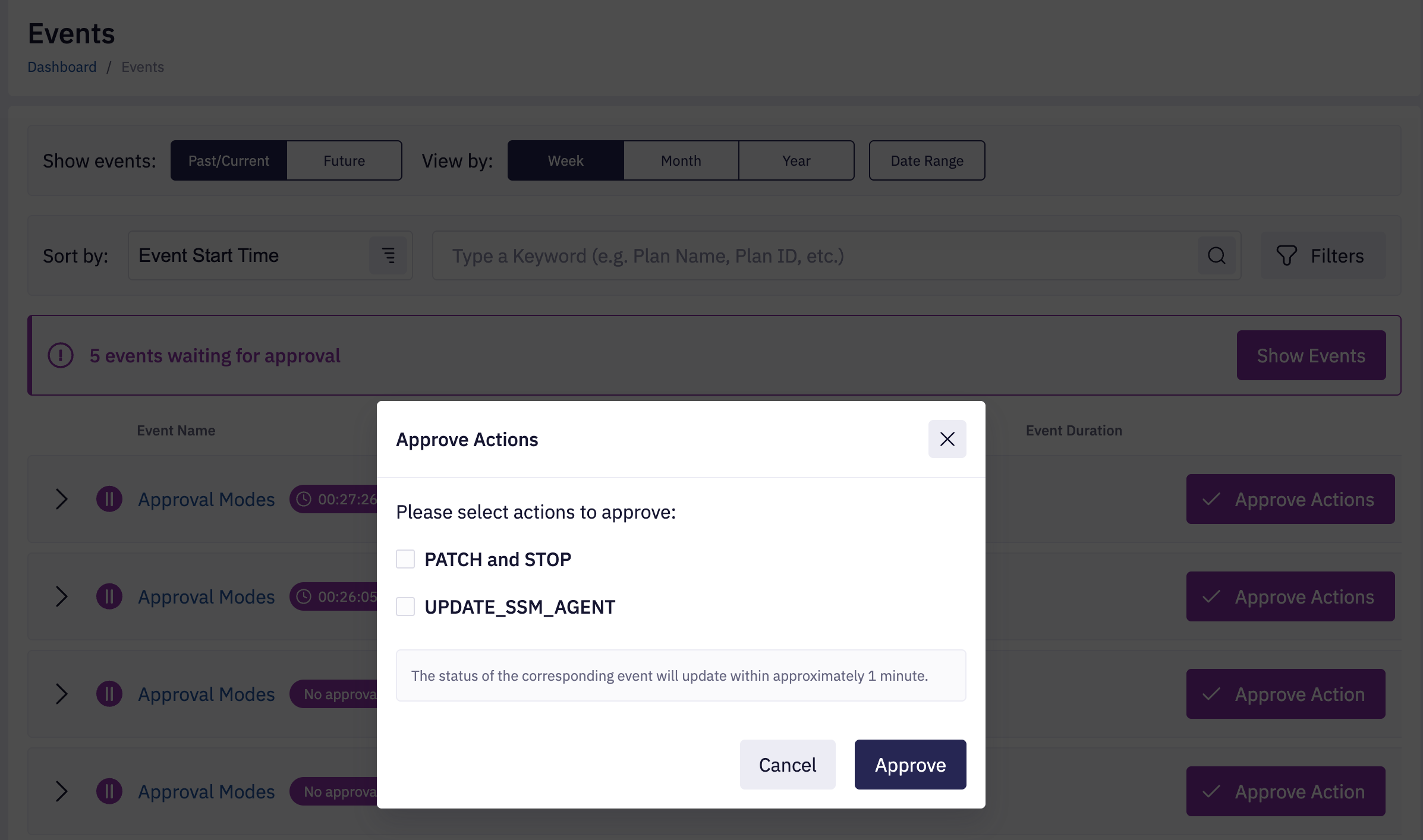
Click Approve Actions in the event row to open the approve dialog.
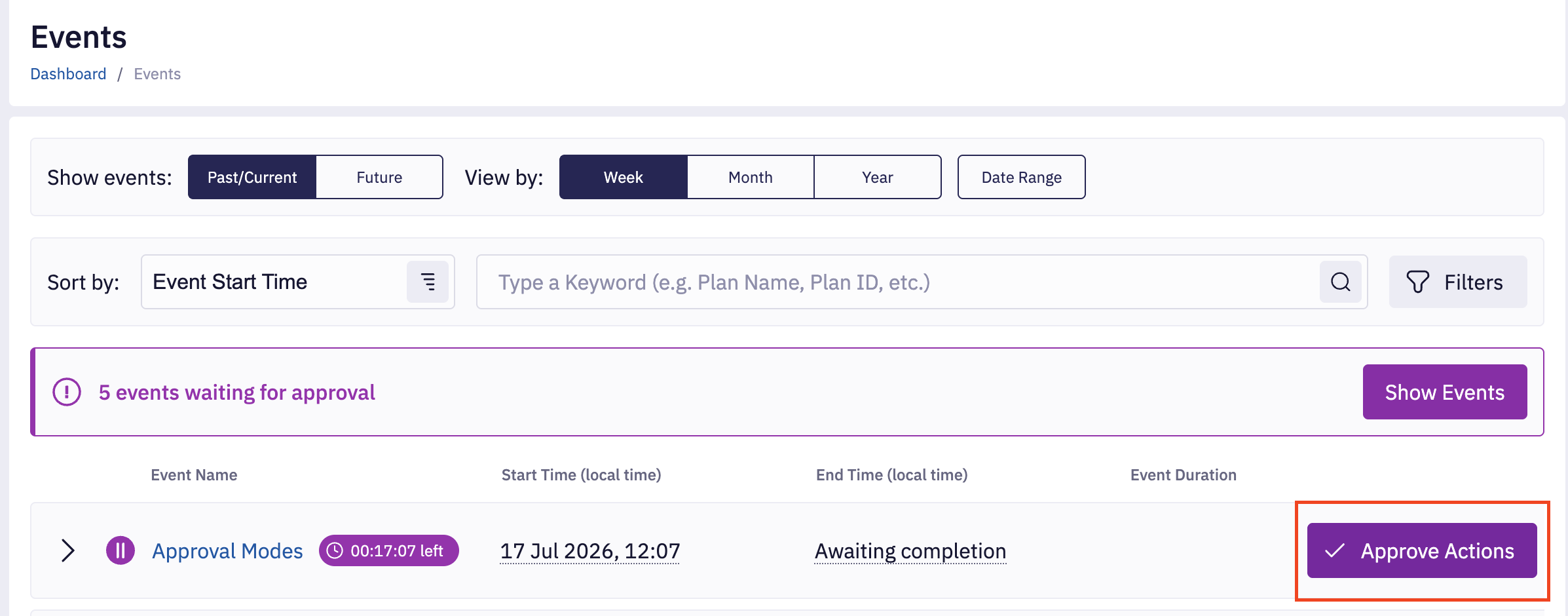
Select the actions and batches you want to approve, then confirm. Approved actions disappear from the list of pending approvals for that event, and the badge updates on the next tick.
For the approval banner and per-action badge visible on the event list, see Approval banner and Approval badge.
3. Approving from event details
Open the event details and expand the Details tab. Actions or batches waiting for approval show an Action Approval panel with the countdown (or paused message) and an Approve Action / Approve Batch button.
The Approve button lives on the Details tab only. The Settings tab shows the plan link and general settings, but no approval button.
For a full description of the Action Approval panel - including the timed-out state, approved-by attribution, and per-mode countdown behavior - see Action Approval on the Event details page.
4. Approval timeout
An action in Approve as Scheduled mode that is not approved before its Window Duration ends
moves to Approval timed out and does not run. Downstream actions then follow the plan's
execution policy (Run Anyway, Approval Required, or Success or Approval).
Actions in Approve Whenever mode never time out.
5. Notifications
Approval-related events can be surfaced via plan notifications. See the Not Approved condition under Action Notifications, including the warning about notification behavior in Whenever chains.