Send Test Notifications
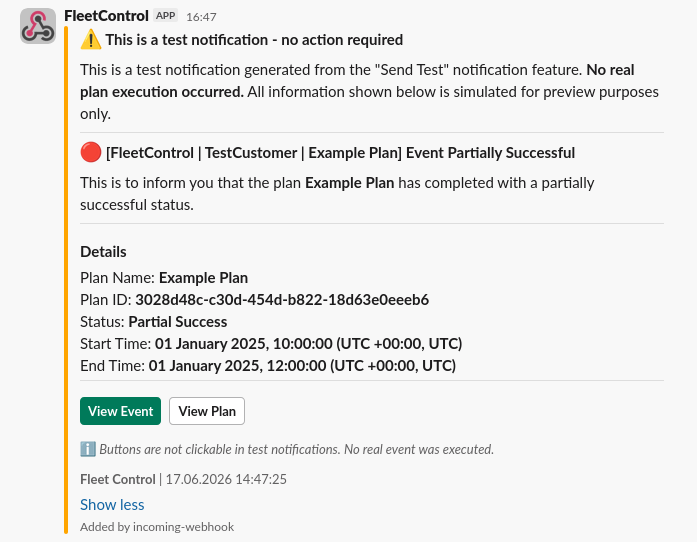
Before using a notification group in your plans, you can send a test notification to verify that your notification channels are properly configured and working correctly. Test notifications also allow you to get an idea of how a real notification will look like.
Sending test notifications is safe, as in it doesn't trigger any actions or affect any resources. Most of the data test notifications contain is made up, since normally it's only available at the plan execution time.
Sending a Test Notification
To send a test notification:
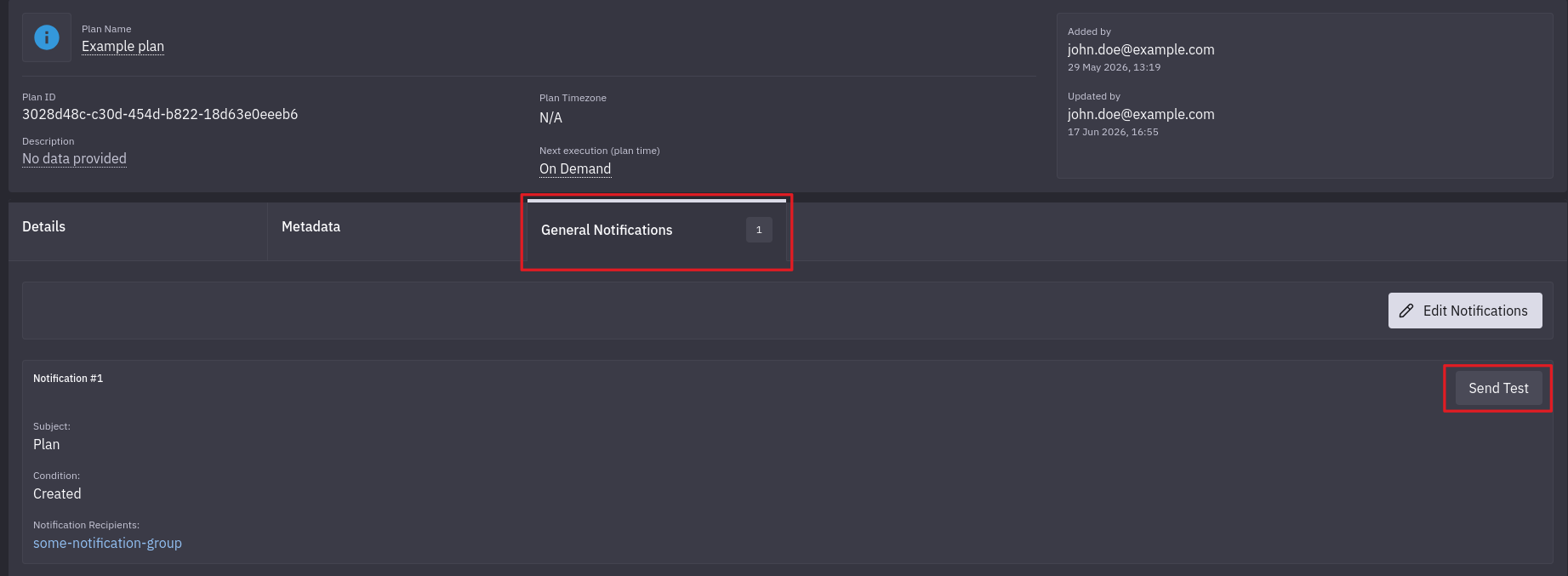
1. Navigate to the Plan Details page
2. Select Notifications Tab
2.1 Select "General Notifications" tab in case of plan notifications
2.2 Select "Resource and Action-based notifications" tab in plan action view for action and resource notifications
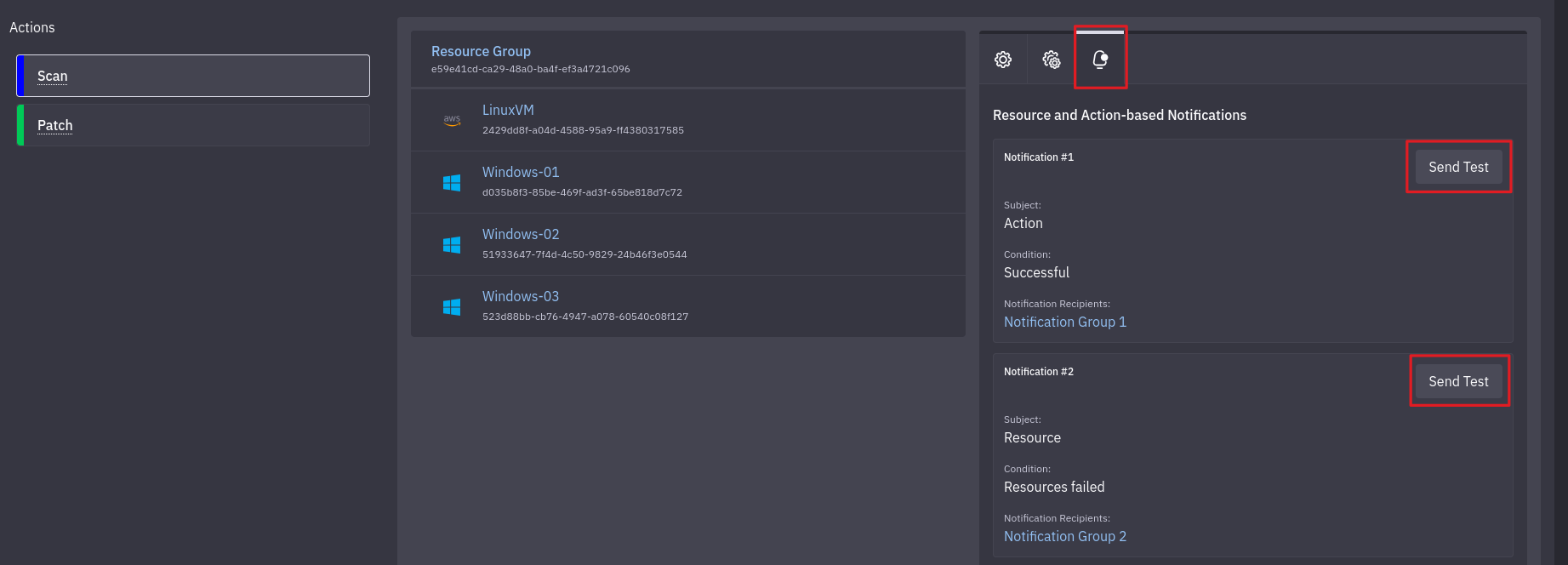
3. Finally, click the Send Test button
The test notification will be sent to all configured channels of notification groups for the given notification type.
Example Test Notifications
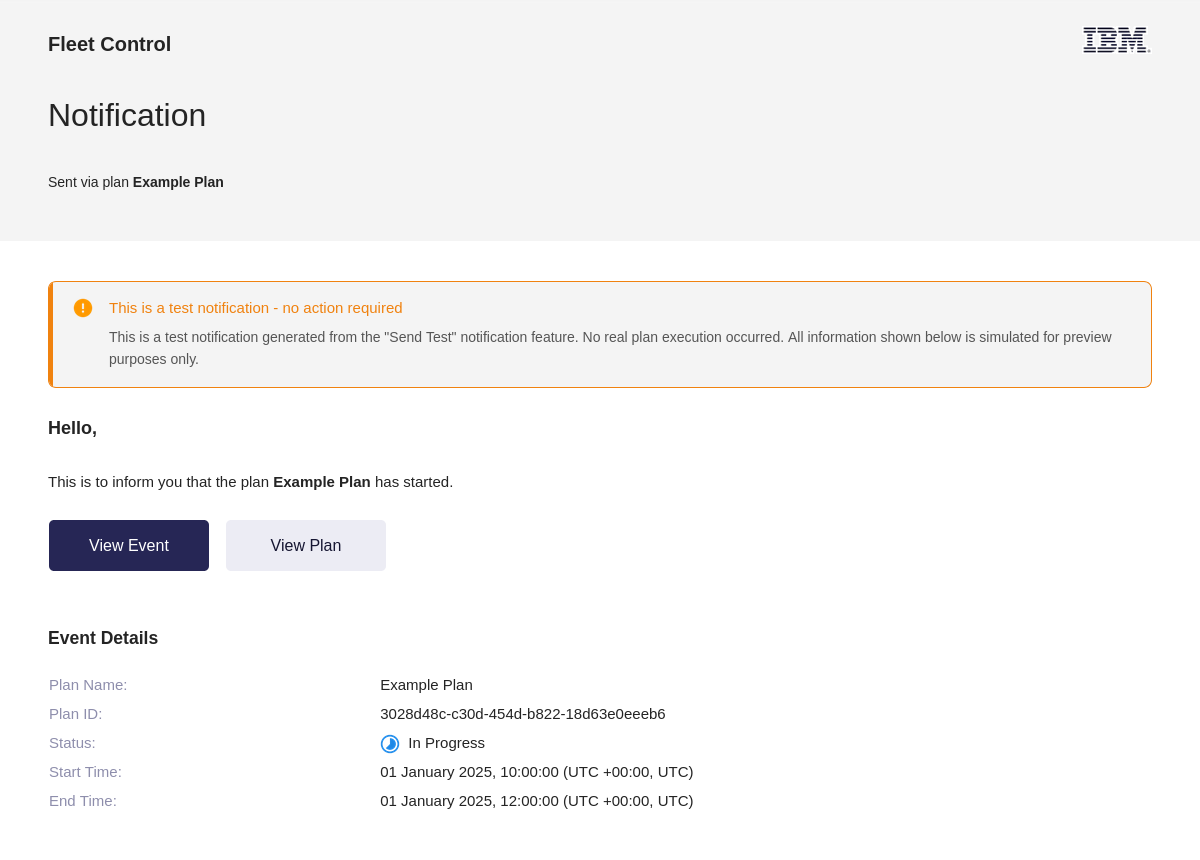
Test notifications have disclaimer section to indicate that they are test notifications and not real notifications. Other than that, they have the same structure and content as real notifications, just with placeholder data.
Email
Slack