Compliance Report
The Compliance Report provides a comprehensive, data-driven view of update compliance for a single resource.
Unlike the Last Update Status, which only reflects the result of the most recent action,
this report aggregates data from all successful PATCH and SCAN actions that occurred within the current
calendar month to build a complete picture of the resource's state.
Accessing the Report
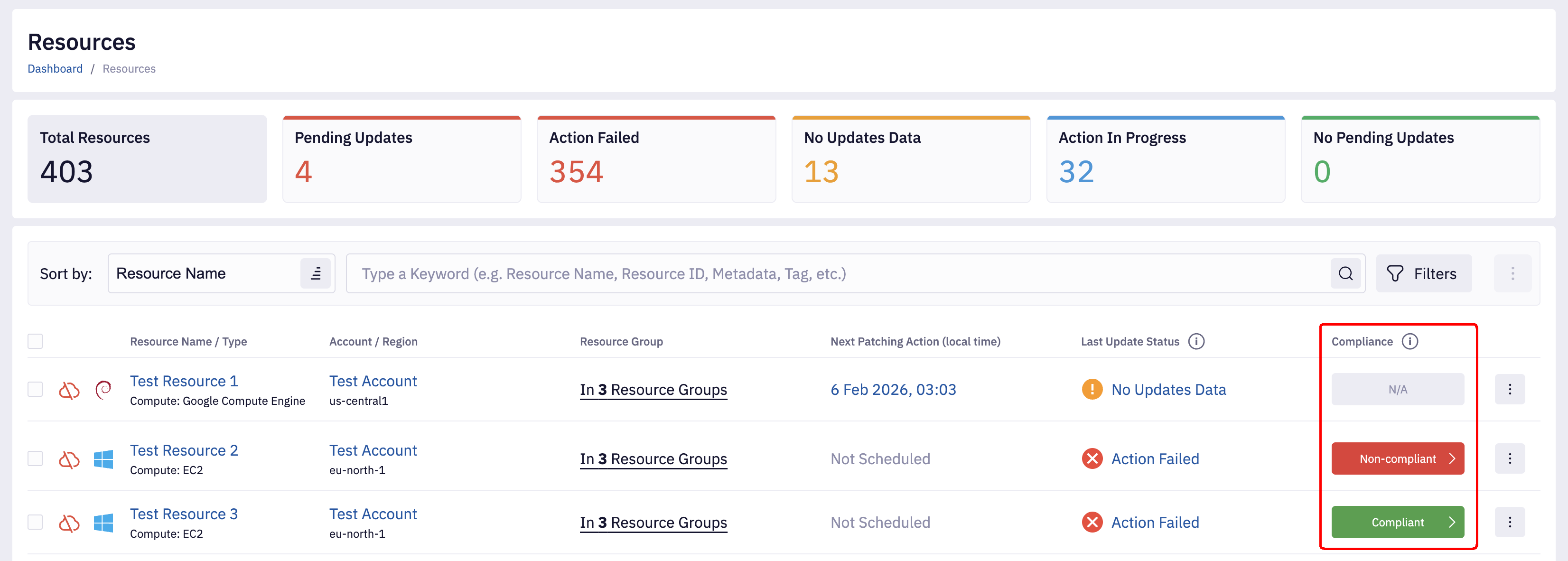
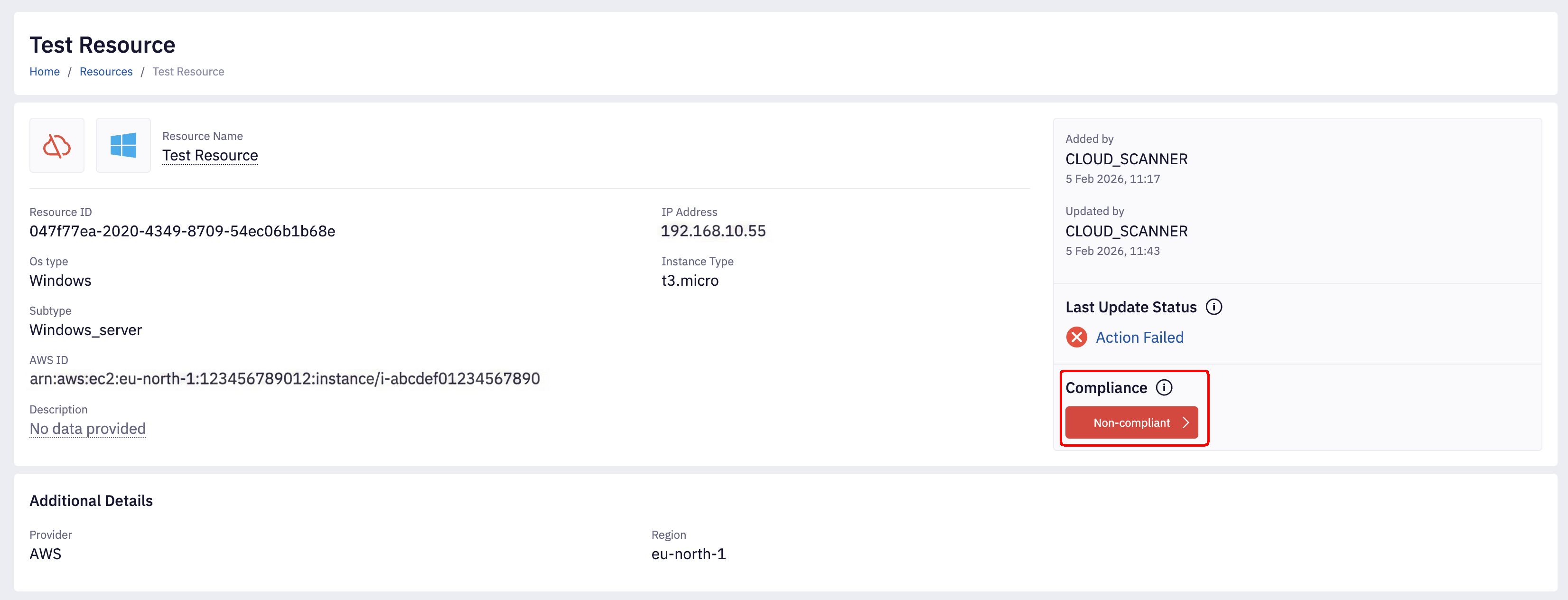
You can access the full Compliance Report from two locations in the UI. In both cases, clicking the Compliance Status button opens the report modal:
- Resources List: Look for the Compliance column in the main resources table.
- Resource Details View: Located in the Compliance section of the details view.
The Updates Table
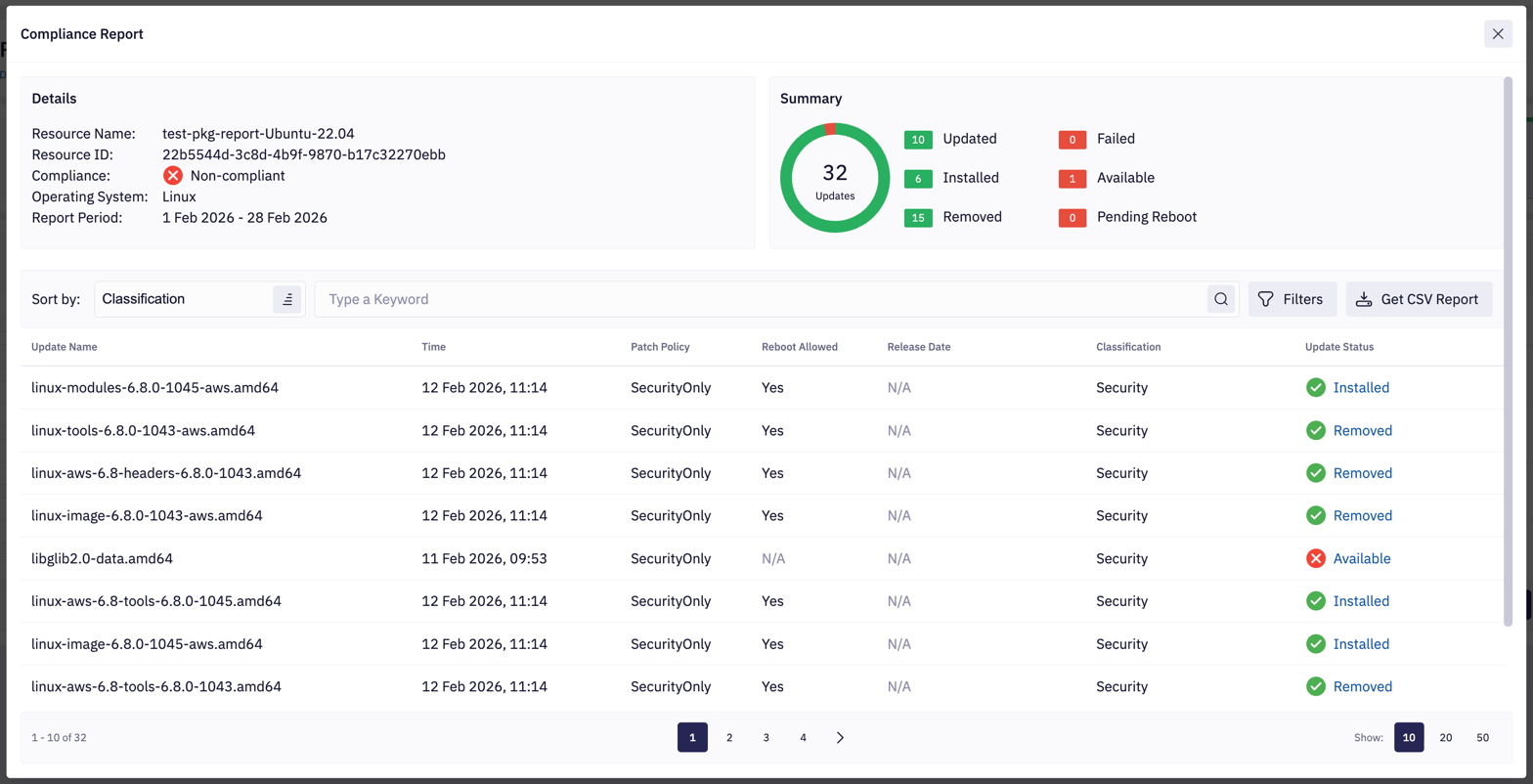
The core of the report is the Updates Table, which lists every unique package or update detected on the resource during the reporting period.
Package Update Status Meanings
Each row in the table represents a specific update and its latest known status.
| Status | Meaning | Compliance Impact |
|---|---|---|
| Installed | Update was confirmed as installed. | Compliant |
| Updated | Update was successfully applied during a patch action. | Compliant |
| Removed | Update was confirmed as removed/uninstalled. | Compliant |
| Available | Update is available but has not been installed yet. | Non-compliant |
| Failed | An attempt to install the update failed. | Non-compliant |
| Pending Reboot | Update requires a reboot to finish. | Non-compliant |
Package Fields
Each package row in the updates table displays the following information:
| Field | Description | Notes |
|---|---|---|
| Update Name | The name of the package or update | Always available |
| Time | Timestamp of the last recorded status | Always available |
| Patch Policy | Patch classification policy applied | Always available |
| Reboot Allowed | RebootAllowed setting | Always available |
| Release Date | Package release date from repository | Platform-dependent |
| Classification | Update type (Security, Bugfix, Enhancement) | Platform-dependent |
Release Date and Classification: Platform Differences
Release Date and Classification fields depend on repository metadata availability. Different operating
systems store and provide this metadata differently, which affects whether these fields display actual data or N/A.
Linux Systems
Linux distributions have varying levels of metadata support:
| Distribution | Release Date | Classification | Notes |
|---|---|---|---|
| RPM-based (RHEL, CentOS, Amazon Linux, Oracle Linux, Rocky Linux, AlmaLinux) | Available* | Available* | Sourced from updateinfo.xml metadata |
| Debian/Ubuntu | Not available | Available* | Classification from APT; Release date not stored |
Why Release Date or Classification fields may show "N/A"
- Extended reporting is not enabled (requires ACTIONS bucket configuration on Linux)
- Repository metadata is not cached locally
- Required scanning tools or libraries are unavailable
Enabling Extended Reporting for Linux
To enable Release Date and Classification fields on Linux machines, ensure that extended scanning is configured:
- Your ACTIONS bucket has the required IAM read permissions
- Firewall rules are configured to allow communication with the ACTIONS bucket endpoints
For detailed configuration instructions, refer to the Firewall configuration documentation.
Windows Systems
Windows metadata is always available because Microsoft's Windows Update infrastructure provides standardized
release dates and classification information for all patches, regardless of system configuration.
Scanning is embedded into the main PATCH / SCAN logic and does not require extended scanning scripts.
Calculation Logic
To generate this report, Fleet Control performs a logic-based aggregation of historical data:
- Data Scope: The system collects all package results from every qualifying event action (Scans, Patches, and OS-specific equivalents) within the current calendar month.
- Deduplication: If the same package appears in multiple actions (e.g., it was "Available" in a scan on the 1st, but "Installed" in a patch on the 5th), the system uses the status from the most recent action.
- Aggregation: This results in a single, deduplicated list representing the final state of every update seen during the period.
A resource is also marked as Non-compliant if any qualifying action in the period is missing its execution logs (shown as Logs unavailable), as the system cannot guarantee that all updates were addressed. For possible causes and remediation steps, see Fleet Control can't save action output log for resource.
Overall Compliance Status
Based on the aggregated data in the report, Fleet Control assigns a high-level Compliance Status to the resource. This is the status shown on the button used to open the report.
| Status | Definition |
|---|---|
| Compliant | All updates in the report are in a satisfied state ( |
| Non-compliant | At least one update remains in an unsatisfied state ( |
| N/A | No successful |
CSV Export
You can download the raw data used to build the report by clicking Get CSV Report. This export includes the calculated status for every package, along with the specific Event and Action IDs that provided the data. Generated reports can be viewed and downloaded from the Reports page.