Add IBM Cloud
1. Navigate to Cloud Accounts List
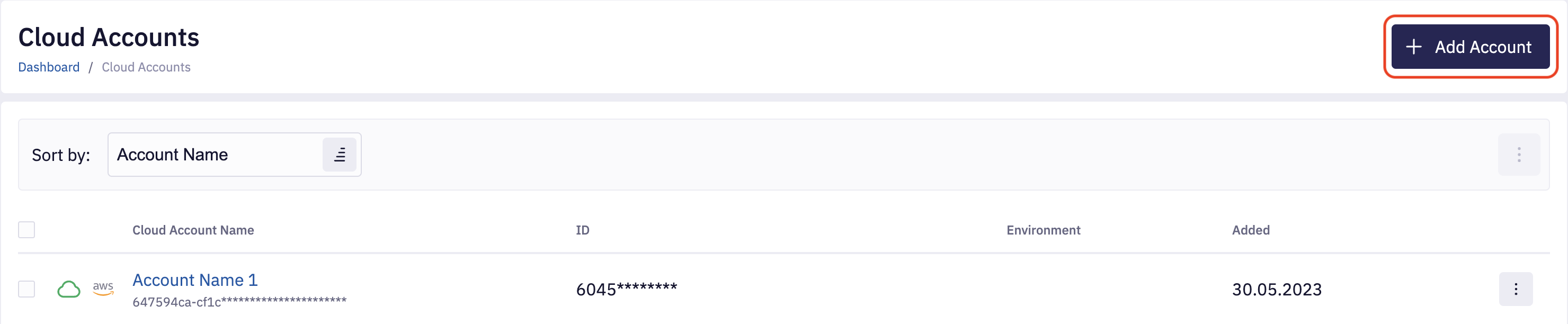
To add a new IBM Cloud account, navigate to the Accounts section and click on Add Account.
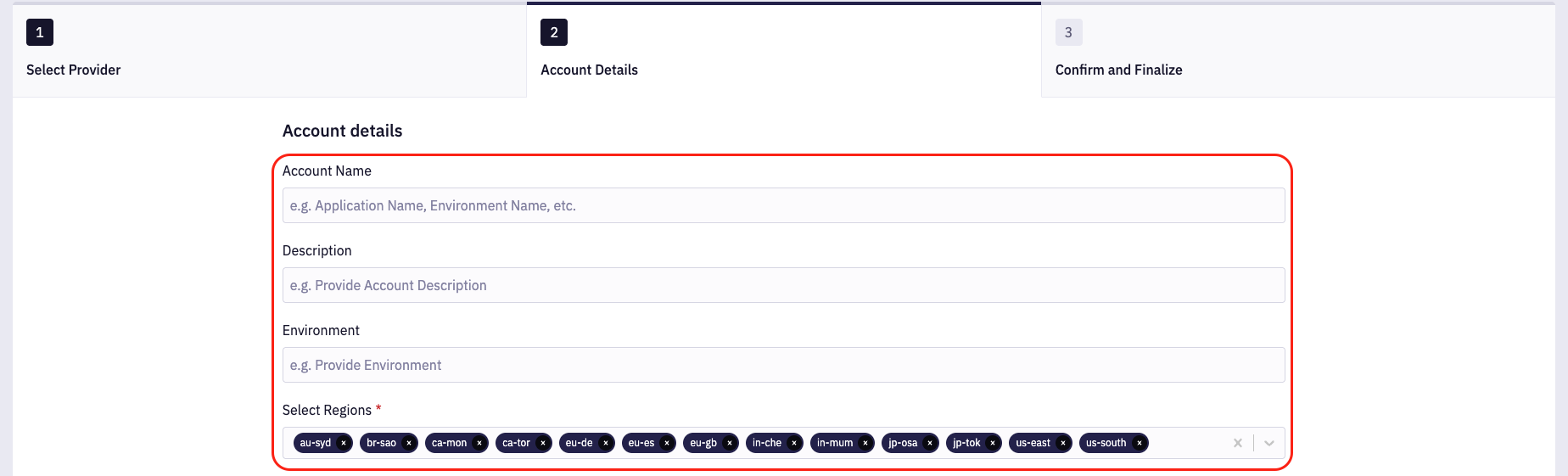
Select the IBM Cloud provider; on the next page, provide the account Name, Description, Environment, and Regions. By default, all IBM Cloud regions are selected; you can remove regions if needed.
2. Provide Cloud Credentials
Each IBM Cloud account must have a Service ID associated with permissions required by Fleet Control.
For your convenience, we prepared a bash onboarding script that can be used to make all the necessary resources
with IBM Cloud CLI. Please download the script by clicking the IBM Cloud Onboarding Script link.
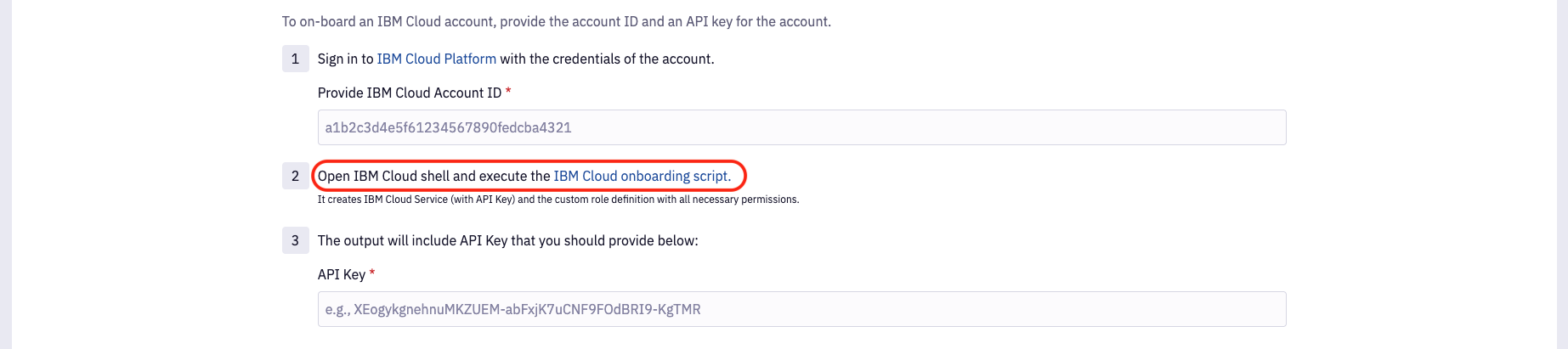
The easiest way to run this script is to navigate to the IBM Cloud Console and use built-in Cloud Shell console.


As a result script will create a Service ID named FleetControlService and print the credentials. Please copy the output and use it to provide input for the API Key field in the onboarding form. After that, review the account configuration and complete the onboarding process.
Cloud credentials are automatically validated when a new account is added. Because of that, it is only possible to add an account with valid credentials. The credentials are most likely invalid if you encounter any error on saving account configuration.
3. Install SSM Agent on Instances
Fleet Control requires all virtual machines to have the AWS SSM Agent installed. Please refer to the Install SSM Agent section for more details.
4. Update Cloud Credentials
If cloud credentials become invalid after completing the onboarding process, you can easily update them by modifying the Cloud Account configuration. Please navigate the Cloud Account details page and click Edit Credentials, On the right side, you will see the form allowing you to upload a new set of credentials.

5. Using API
Get Onboarding Script
query getIBMCloudOnboardingScript {
  ibmCloudOnboardingScript
}
Add IBM Cloud Account
mutation addIBMCloudAccount {
  createCloudAccount(
    input: {
      name: "ACCOUNT_NAME"
      description: "DESCRIPTION"
      provider: IBM
      providerId: "IBM_CLOUD_ACCOUNT_ID"
      credentials: {
        ibm: {
          apiKey: "API_KEY"
        }
      }
    }
  ) {
    id
    status
  }
}
Update Credentials
mutation updateAccountCredentials {
  updateCloudAccount(
    input: {
      id: "CLOUD_ACCOUNT_ID"
      credentials: {
        ibm: {
          apiKey: "API_KEY"
        }
      }
    }
  ) {
    id
    status
  }
}